
Please click on the appropriate tab for a walk through on how to use our Patient Portal or APPatient App.
(images are taken from a desktop and may look different from a cell phone or tablet)
- Log into your patient portal using the following link:
ACCESS PATIENT PORTAL HERE
- If you do not know your username, please call our office at 218-454-7546 and any of our receptionist should be able to help you.
- You can use the “Forgot Password” link to reset your password.
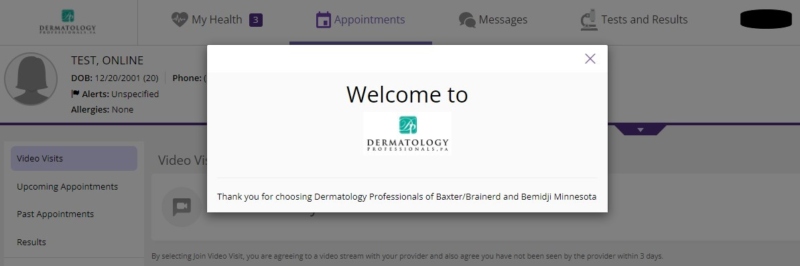
- If you have logged in correctly, your screen should look like this. Click the “X” on the Welcome to Dermatology Professionals box.
APPOINTMENTS
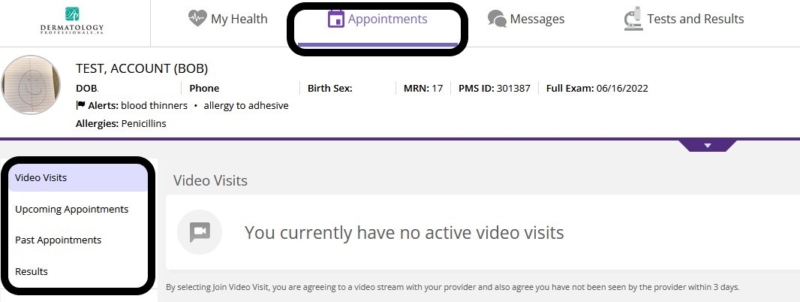
- When you visit the portal, the portal will default to the Appointments tab. The sections on the left-hand side will give you the option to view your Video Visits, Upcoming Appointments, Past Appointments and Results.
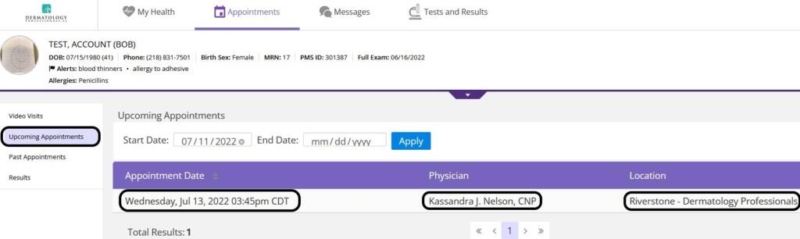
- If you have any upcoming appointments scheduled, they will be listed under Upcoming Appointments. Upcoming Appointments shows the Appointment Date and Time along with the Provider you will be seeing and the Location.
- For Past Appointments, you are able to click on the visit date to view and print off your visit note.
 MY HEALTH
- The My Health tab allows you to view and update your demographics, medications and health information. See the list of options on the left-hand side of the page to view or update your information.
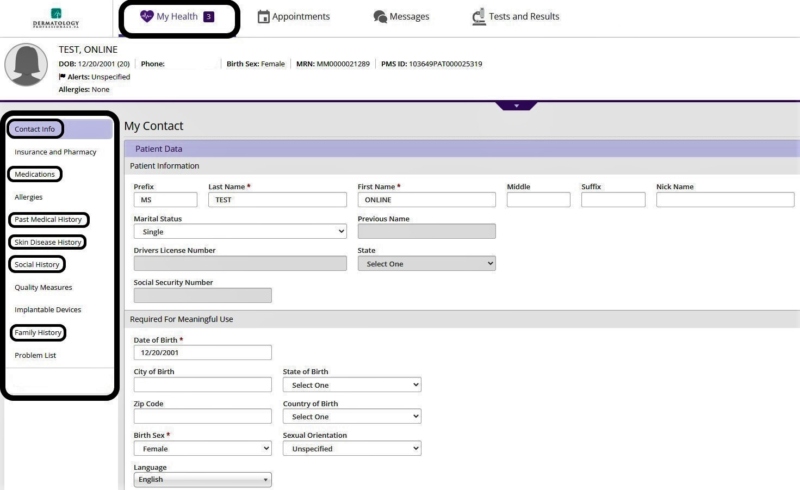
- CONTACT INFO, MEDICATIONS, PAST MEDICAL HISTORY, SKIN DISEASE HISTORY, SOCIAL HISTORY AND FAMILY HISTORY are required to fulfill your registration.
TESTS & RESULTS
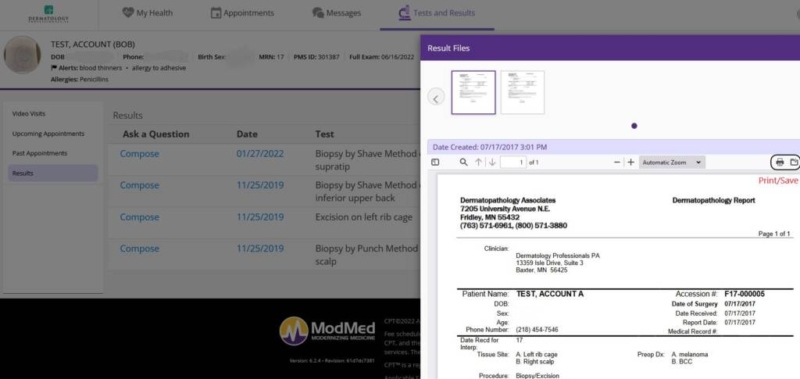
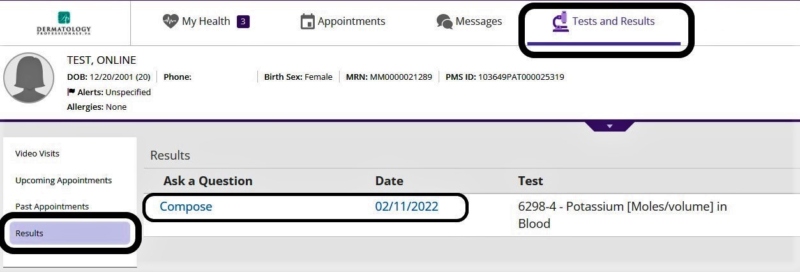
- To review Lab Results or Pathology Reports you can click on the Test and Results tab located at the top of the screen. Click on Results from the left-hand side and it will list any blood work or biopsies that were done.
- Click on the Date Link, this will pull up any test results or pathology reports and you can either save or print them from this screen.
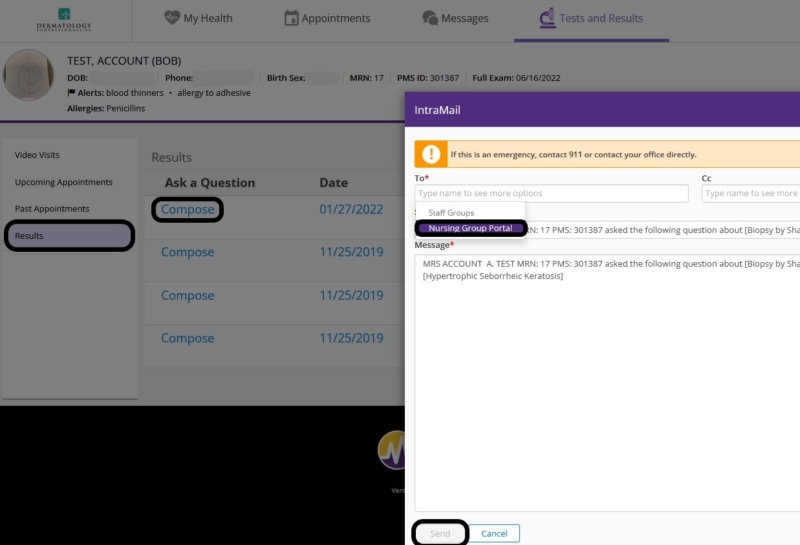
- Clicking the Compose link will automatically bring up a box for you to send an email to your provider.
- For the To field you will need to choose Nursing Group Portal in order to send the IntraMail. The Nurses/Provider will contact you if needed.
MESSAGES
- The Messages tab allows you to send a message and/or pictures to your provider.
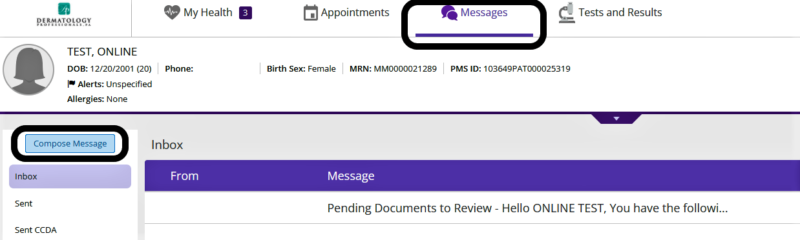
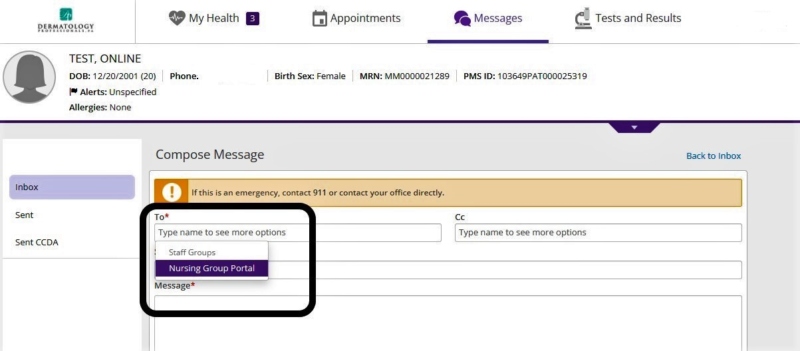
- Click on the Compose Message link to begin your message. Click in the To box and a drop-down list will appear. Select Nursing Group Portal to send the message to and the Nurses/Provider will contact you if needed.
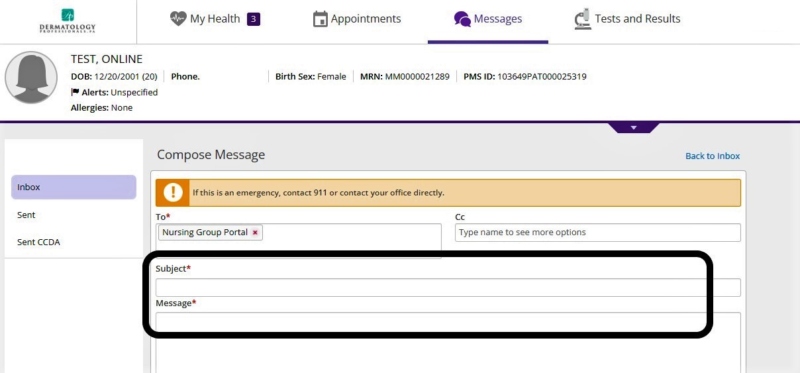
- Type in the Subject and Message as these are required fields denoted by the *.
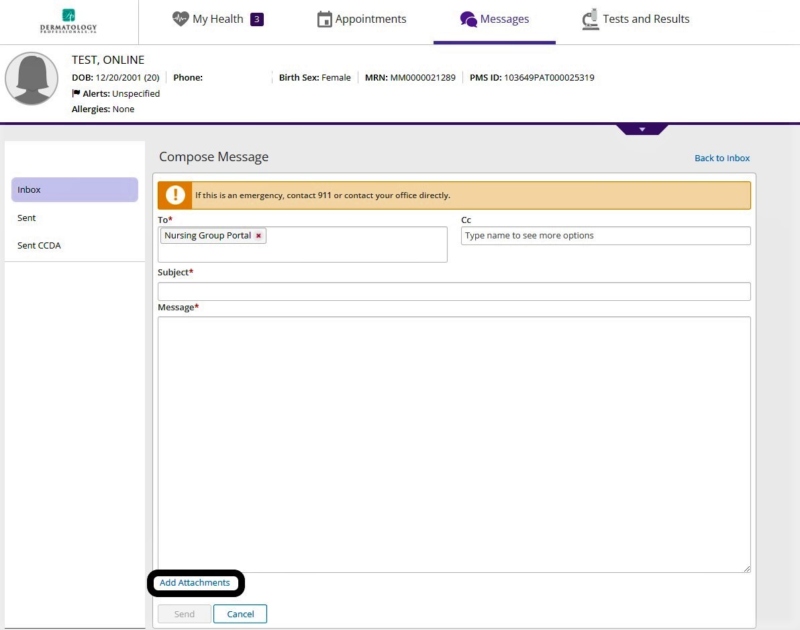
- If you need to attach pictures and/or files, click on the Add Attachments located at the bottom of the message box. Find the image/file on your device that you want to attach and attach.
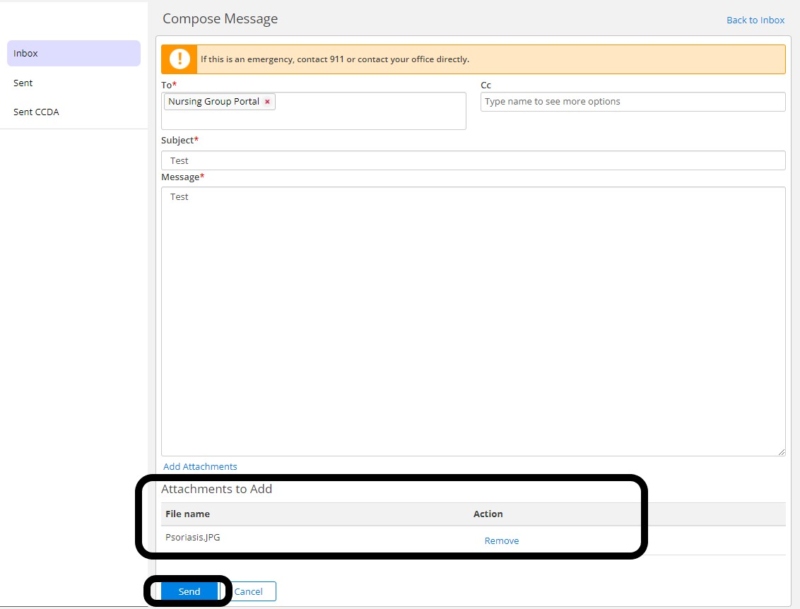
- If you attached the file correctly it will look like this. Once you have your entire attachments attached click Send. The message and pictures and/or files will be sent to your Provider’s nurse group for review.
CHANGING PASSWORDS/LOGGING OUT
- To change your password or log out, click on your name link in top right-hand corner of the screen.
